
My Meralco Login: How to Register and Manage Your Account
Learn how to create a My Meralco account, log in securely, and manage your electricity bills, payments, and account settings online or via mobile.
What is My Meralco?
My Meralco is the official online platform that allows customers to manage their electricity accounts digitally. It provides access to billing information, payment history, consumption tracking, and account updates.
With My Meralco, you no longer need to visit physical offices for basic transactions. Everything can be done online or through the mobile app, making account management faster and more convenient.
Users can register for free and gain access to real-time billing updates, energy usage insights, and payment options.
How to Register for My Meralco
To register, you need your Meralco Customer Account Number (CAN) and an active email address. These details are required to verify your identity and link your account.
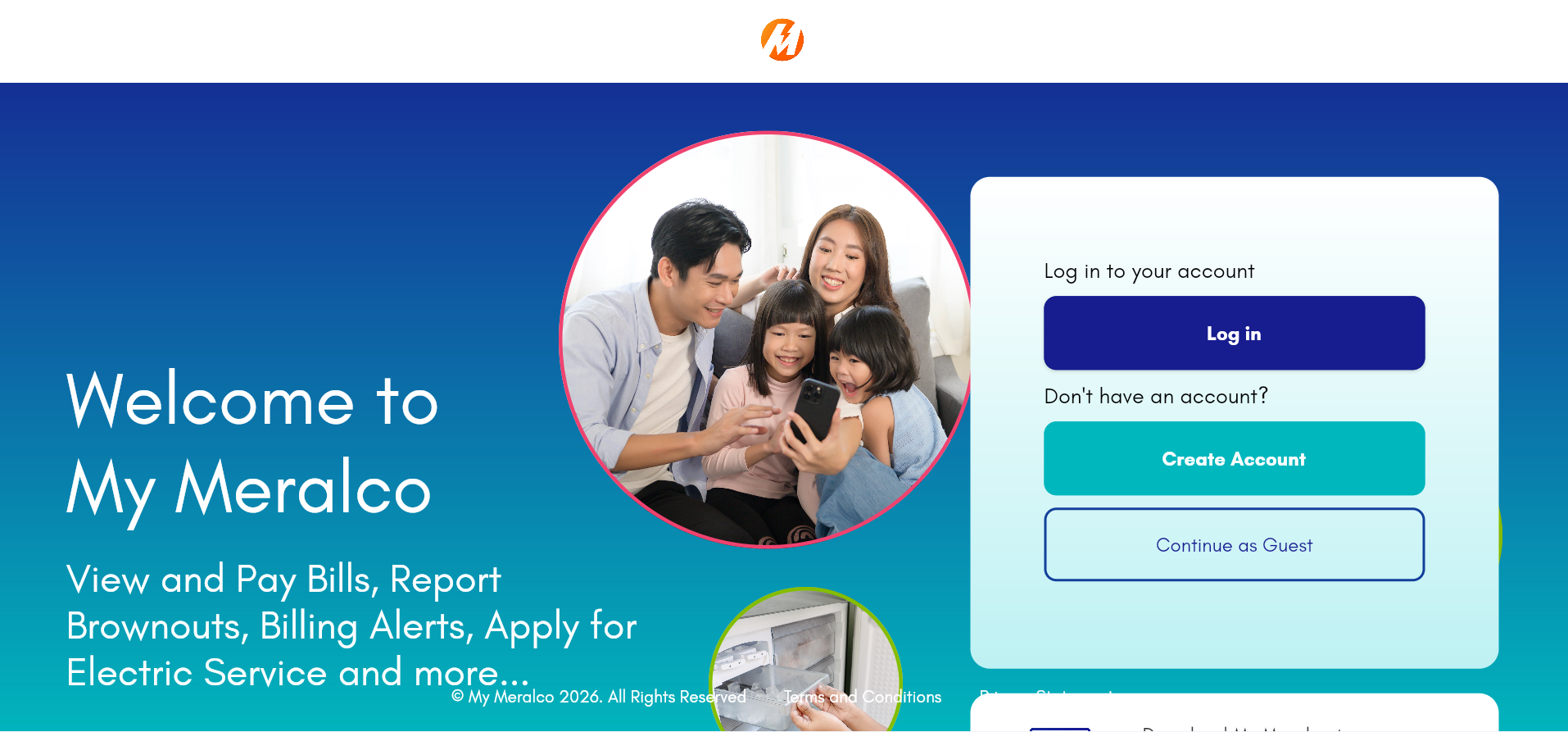
Step 1: Go to the Login Page
Open the official My Meralco login page and look for the registration or sign-up option.
Step 2: Enter Account Details
Provide your Customer Account Number (CAN), email address, and other required information. Make sure all details match your latest bill.
Step 3: Verify Your Email
A verification link will be sent to your email. Click it to activate your account and complete registration.
Step 4: Set Your Password
Create a secure password that you will use for future logins.
How to Log in to My Meralco
Once registered, logging in is simple. Enter your email address and password on the login page, then access your dashboard.
After logging in, you will be directed to your account dashboard where you can view bills, track usage, and manage payments.
What You Can Do After Login
Account Dashboard Overview
Once logged in, your dashboard provides a full overview of your Meralco account.
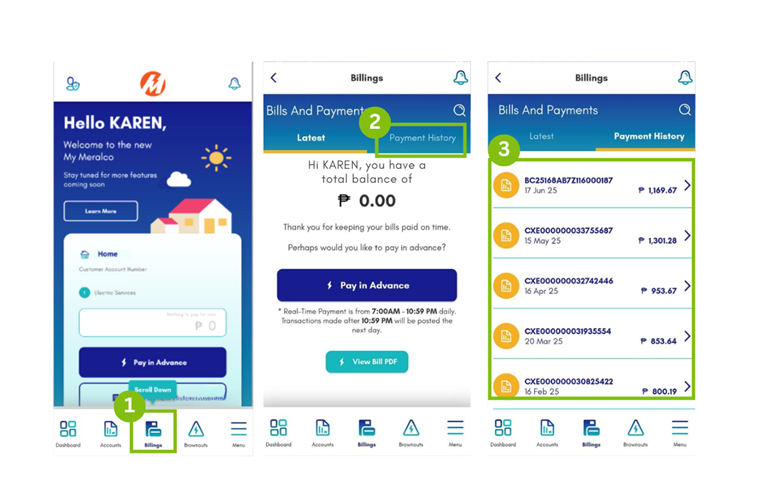
You can:
- View current and past bills
- Track electricity consumption
- Pay bills online
- Download statements
- Update contact information
- Receive notifications and alerts
The My Meralco dashboard is designed to give you full control over your electricity account in one place.
Common Login Issues
Some users may experience login problems due to incorrect passwords, unverified accounts, or outdated browser settings.
If you cannot log in:
– Reset your password using the “Forgot Password” option
– Check your email verification status
– Ensure your internet connection is stable
Security Tips
Always use a strong password and avoid sharing your login credentials. Log out after each session, especially when using public devices.
Meralco will never ask for your password via email or SMS, so be cautious of phishing attempts.
Frequently Asked Questions
1. What is My Meralco?+
It is Meralco’s official online account management platform.
2. Is registration free?+
Yes, it is completely free.
3. What do I need to register?+
Your Customer Account Number (CAN) and email address.
4. Can I use the mobile app?+
Yes, the platform works on both web and mobile.
5. What if I forget my password?+
Use the password reset feature.
6. Can I pay bills online?+
Yes, directly through your dashboard.
7. Is my data secure?+
Yes, it uses secure encryption systems.
8. Can I view past bills?+
Yes, full billing history is available.
9. Why can’t I log in?+
Check password, email verification, or browser issues.
10. Can I update my account info?+
Yes, from your dashboard settings.
11. Do I need internet to use it?+
Yes, it is an online service.
12. Can I register multiple accounts?+
Yes, if you manage multiple service locations.
13. Is there a mobile app?+
Yes, available for Android and iOS.
14. Can I delete my account?+
You may request account deactivation through support.
15. Who do I contact for help?+
Meralco customer support via hotline or email.